Stedding Browser
An open-source, Arc-style browser built on Chromium. A sidebar with vertical tabs, Spaces, folders and pinned tabs, a command bar, and one-click import from Arc. macOS and Windows. No telemetry.
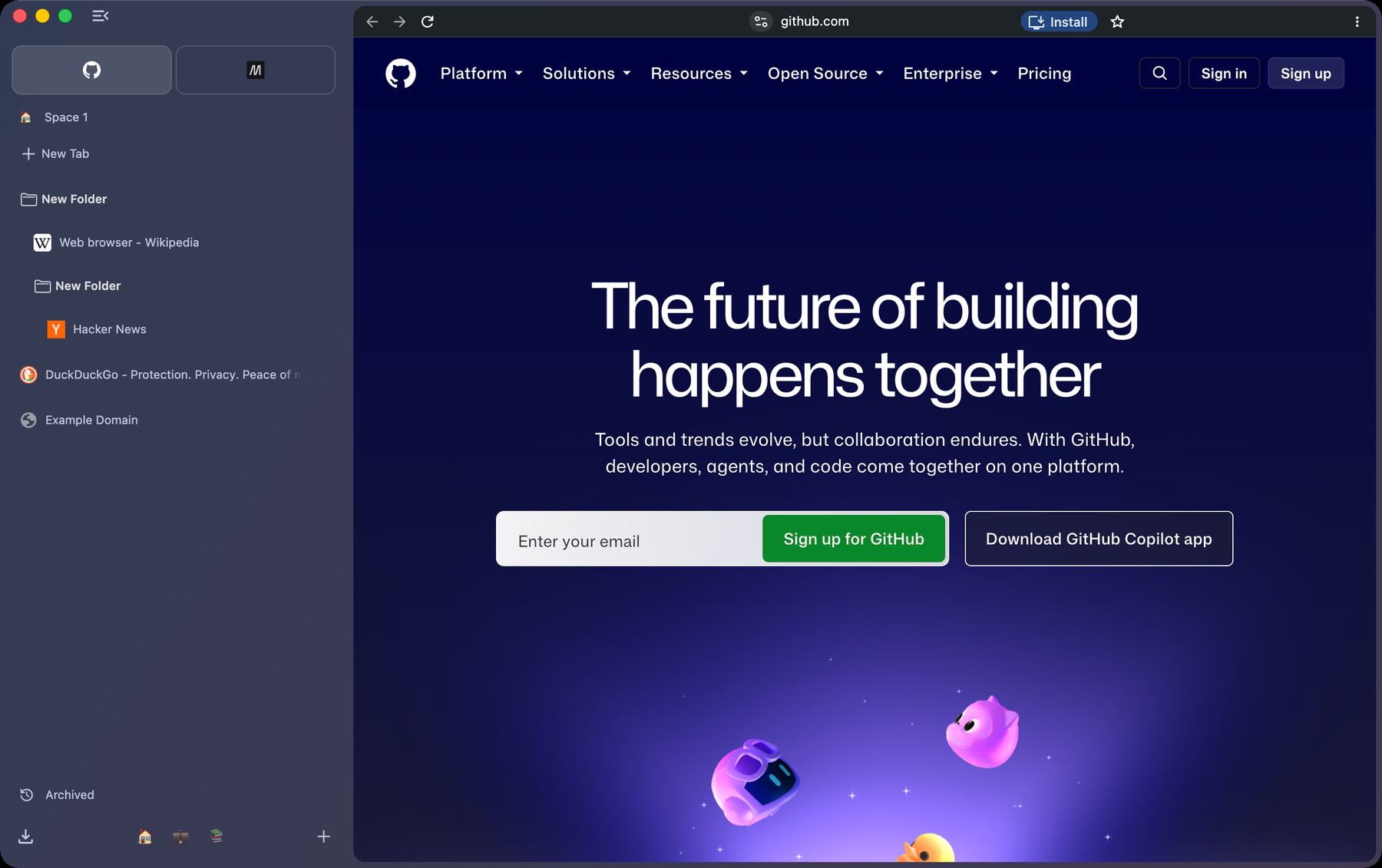
An open-source alternative to Arc
Stedding is a desktop browser for people who liked the way Arc worked: tabs live in a sidebar, each project gets its own Space, the important sites are pinned and always where you left them, and Command T is one place to search, open a site or jump to any tab. Arc stopped getting new features in 2025; Stedding rebuilds that way of working on ground you control.
-
Open source, all of it.
The browser, its interface and the build are BSD-3-Clause. No account, no company roadmap, nothing that can be taken away.
-
Built on Chromium stable.
A small, documented patch series, so it follows Chromium’s security releases and runs the extensions you already use.
-
Private by default.
No telemetry, no experiments, no Google sign-in or AI surfaces; tracker-blocking defaults on; DuckDuckGo as the search engine.
The tour
-
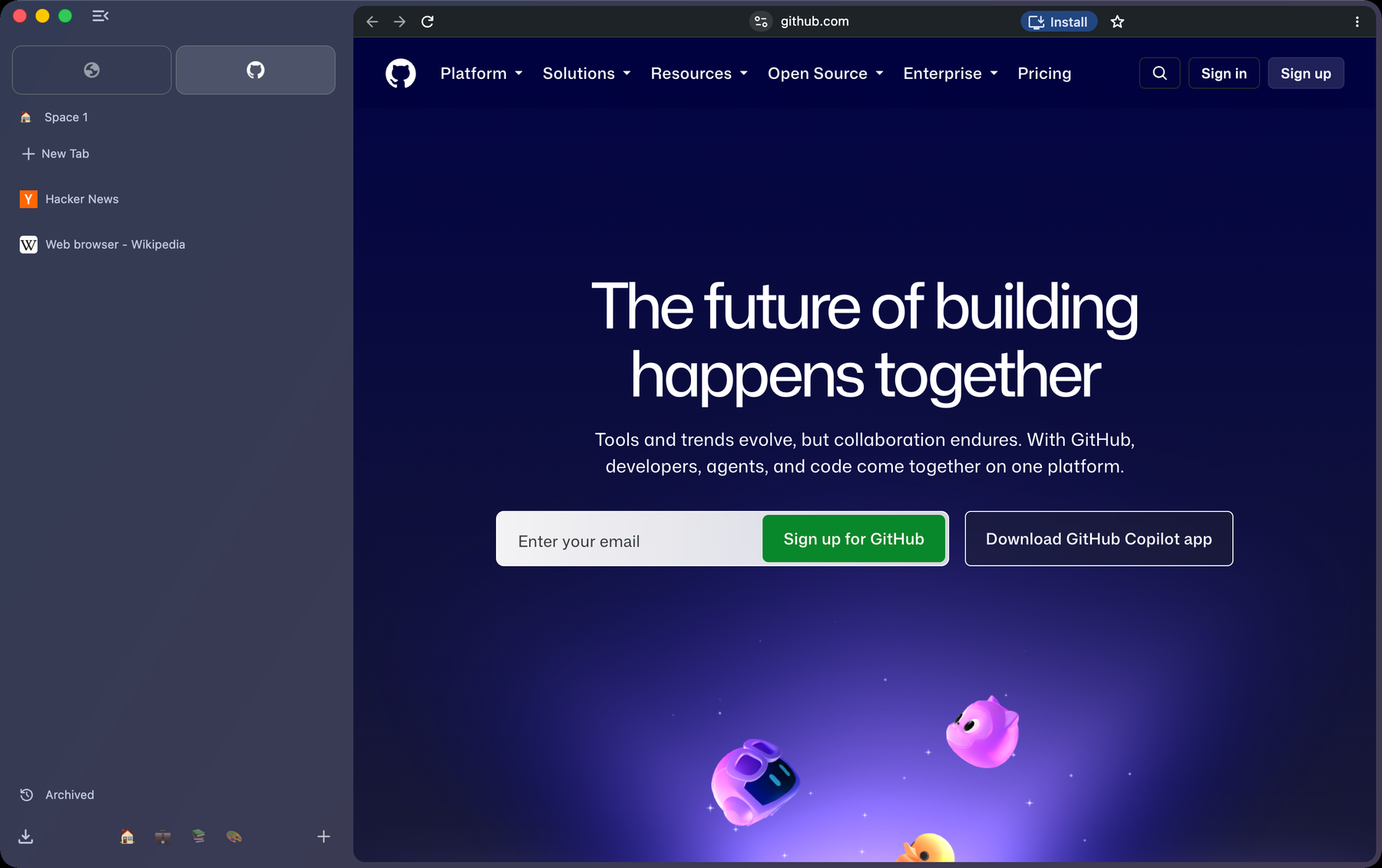
Spaces
Each Space is a set of tabs with its own colour, icon and pinned sites. Switch with the chips at the bottom of the sidebar, with Control 1 to Control 9, or by swiping.
-
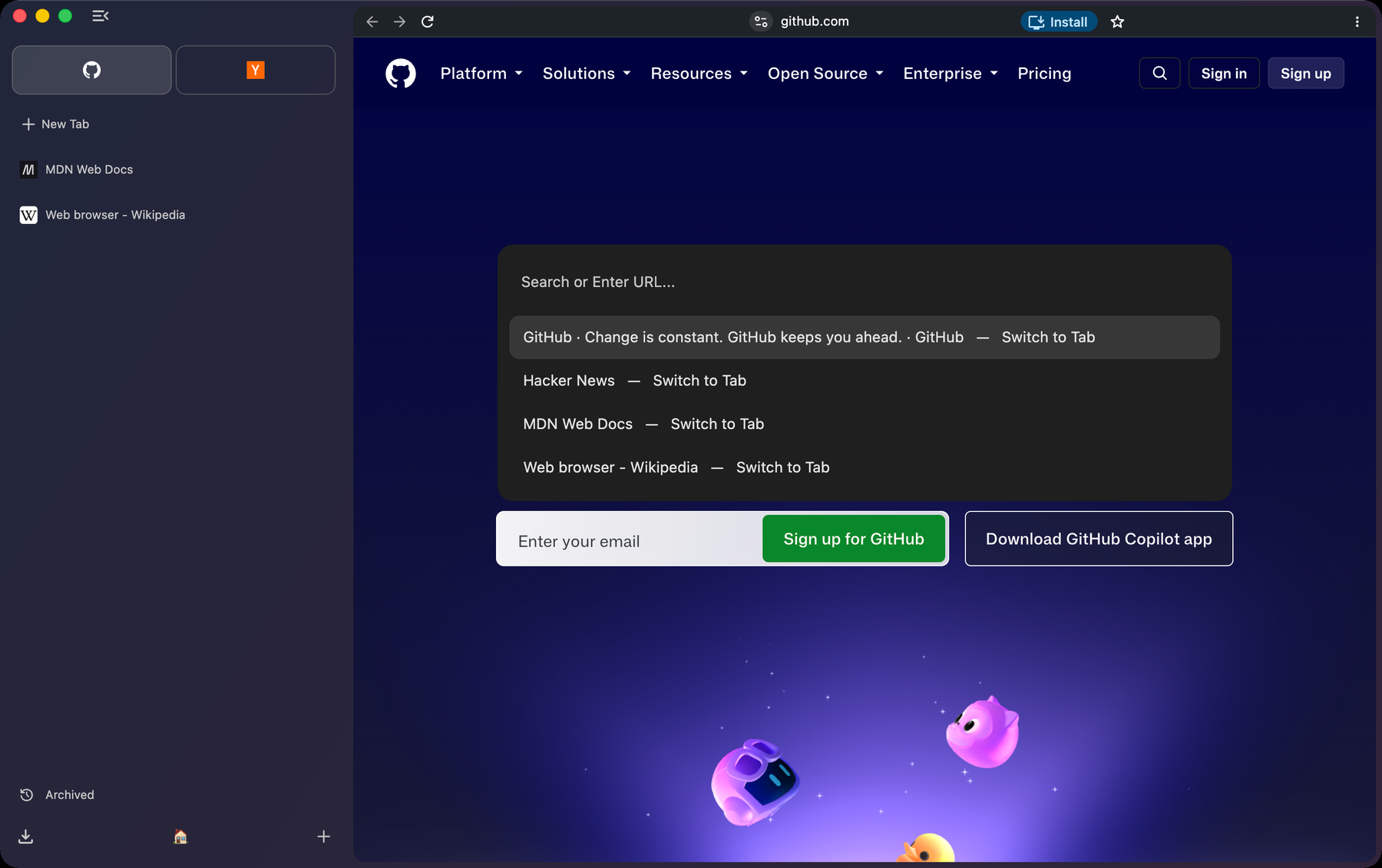
The command bar
Command T opens one bar for everything: a URL, a search, or the name of any open tab in any Space. Type > for every command with its shortcut.
-
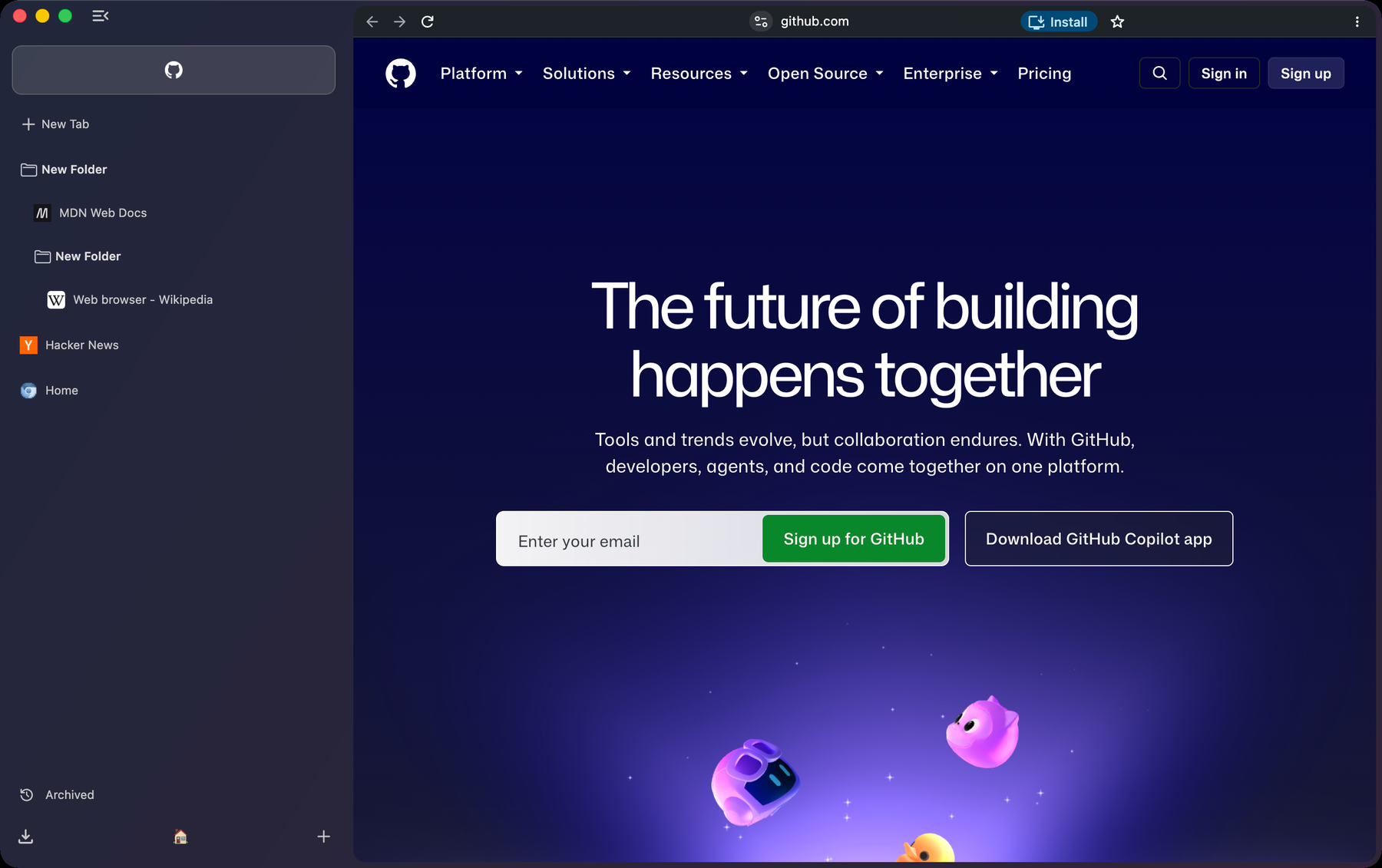
Folders and pinned tabs
Nest folders, collapse them, rename anything in place. A pinned tab remembers its home page: wander away and a slash shows it; click the favicon and you are back.
-
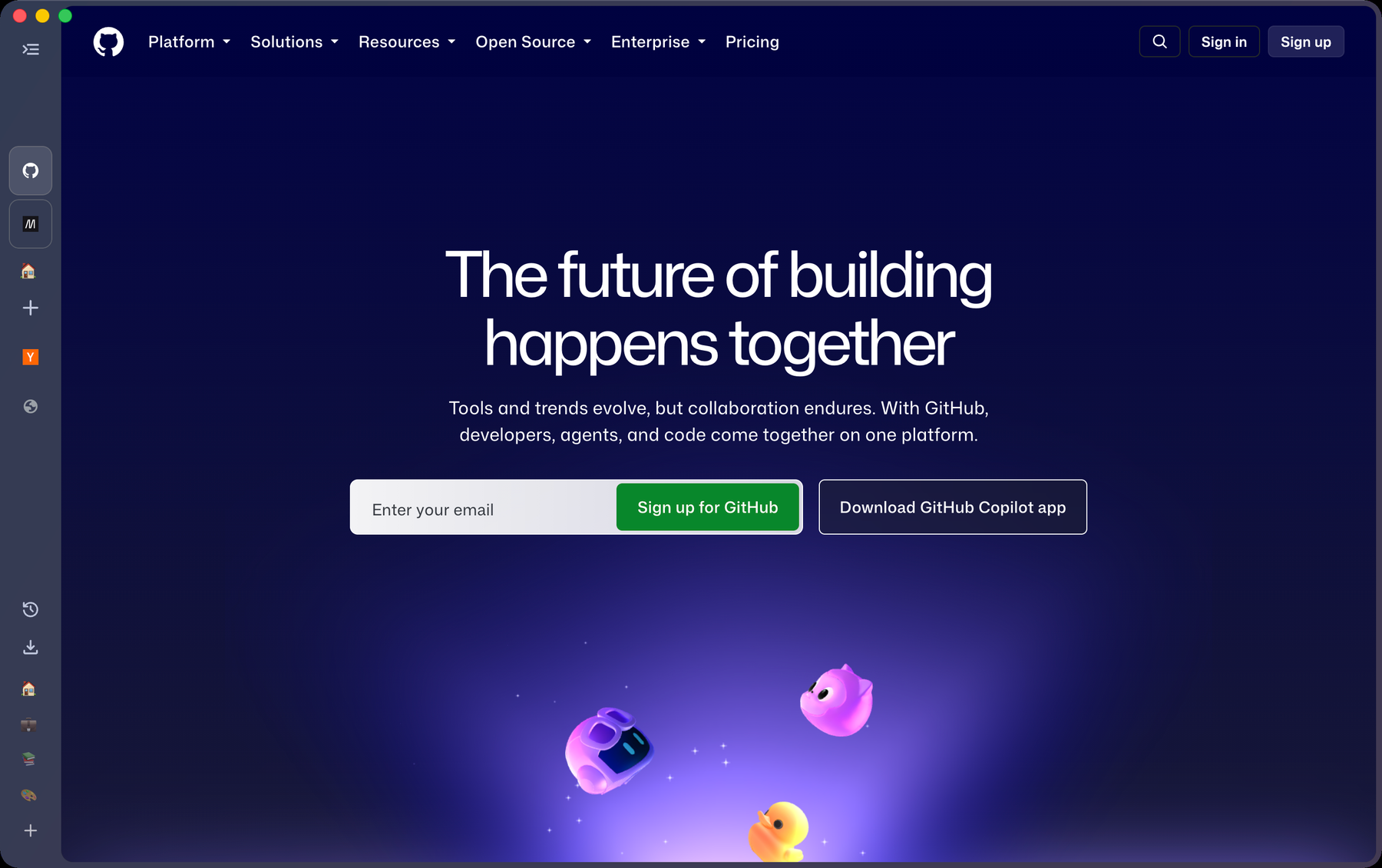
The rail
Command S collapses the sidebar to a column of icons and hides the address row; Shift Command D brings the address row back on its own.
-
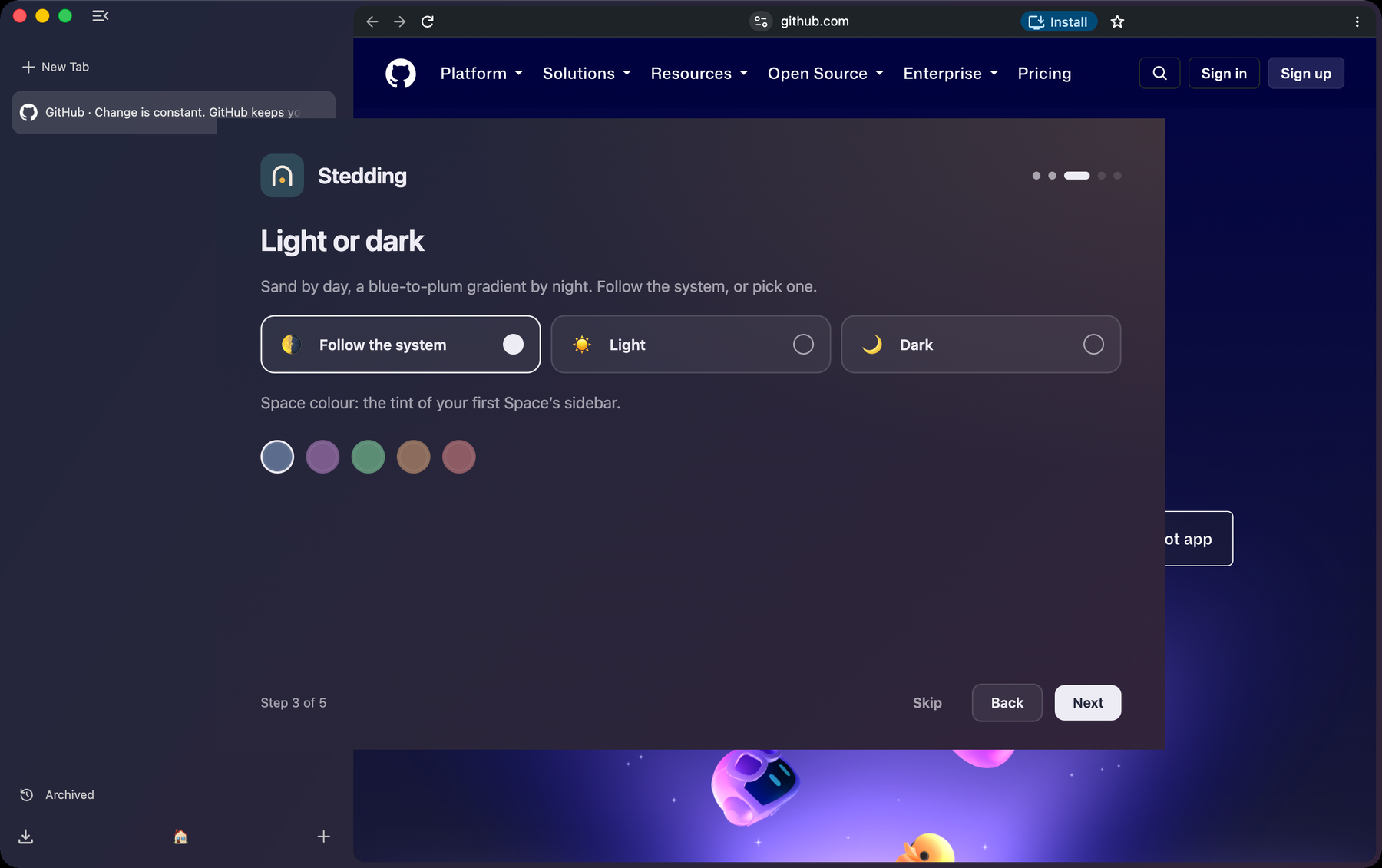
Light and dark
Sand by day, a blue-to-plum gradient by night; each Space’s colour tints the sidebar.
-
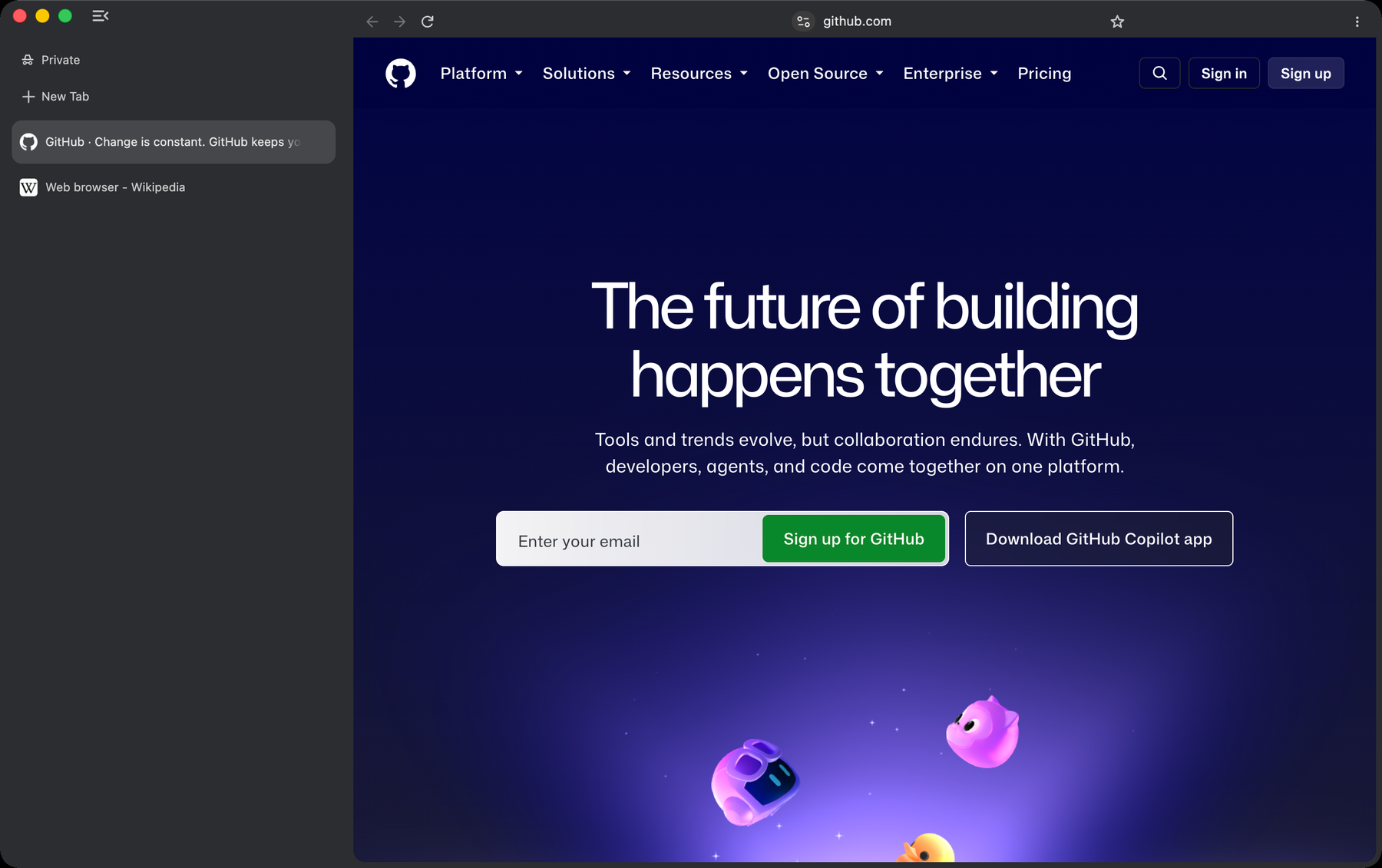
Private windows
A private window wears a different coat, so you always know where you are.
-
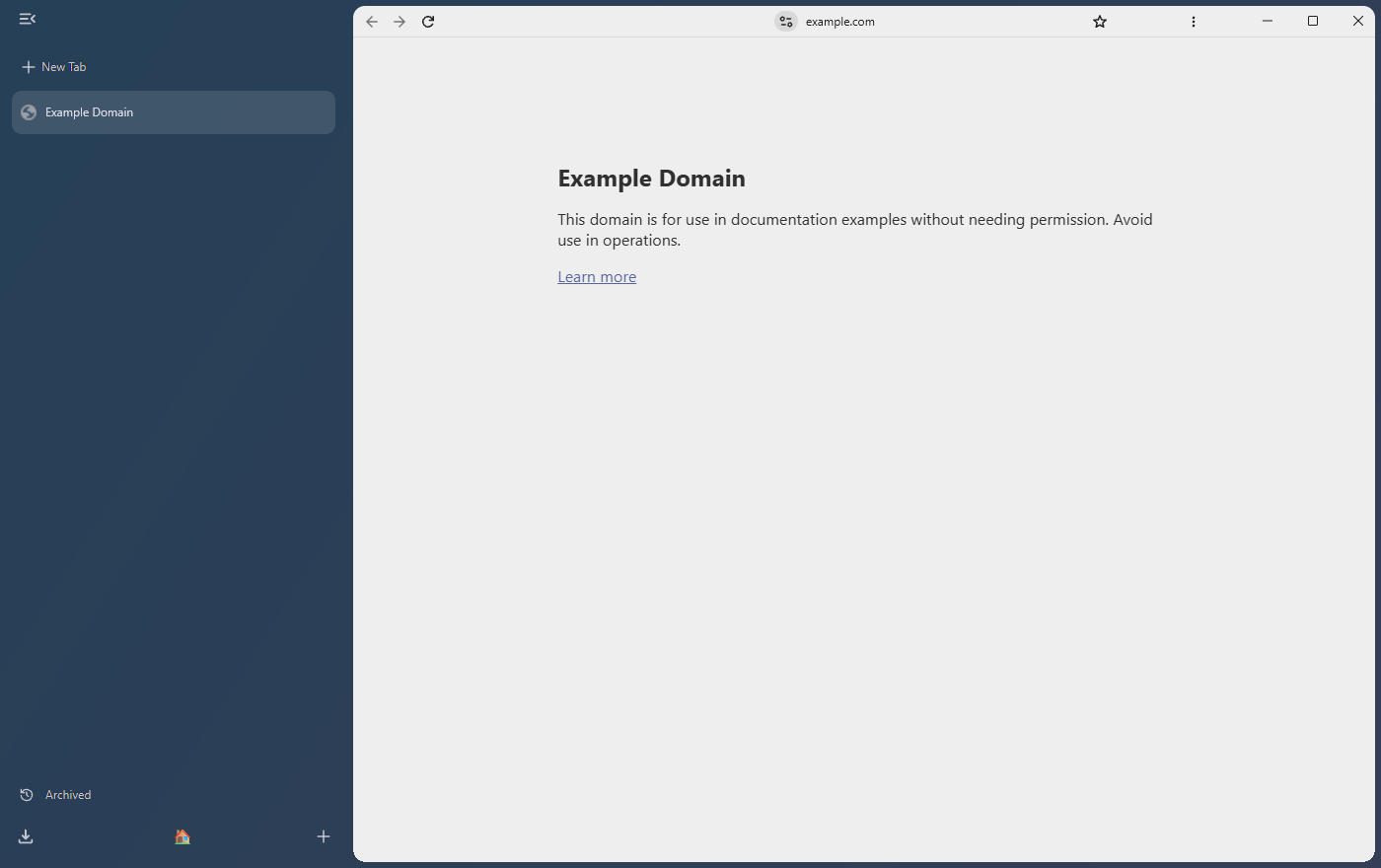
Windows
The same browser on Windows, Arc’s keyboard mapped to Ctrl and Alt.
Everything from Arc, in one click
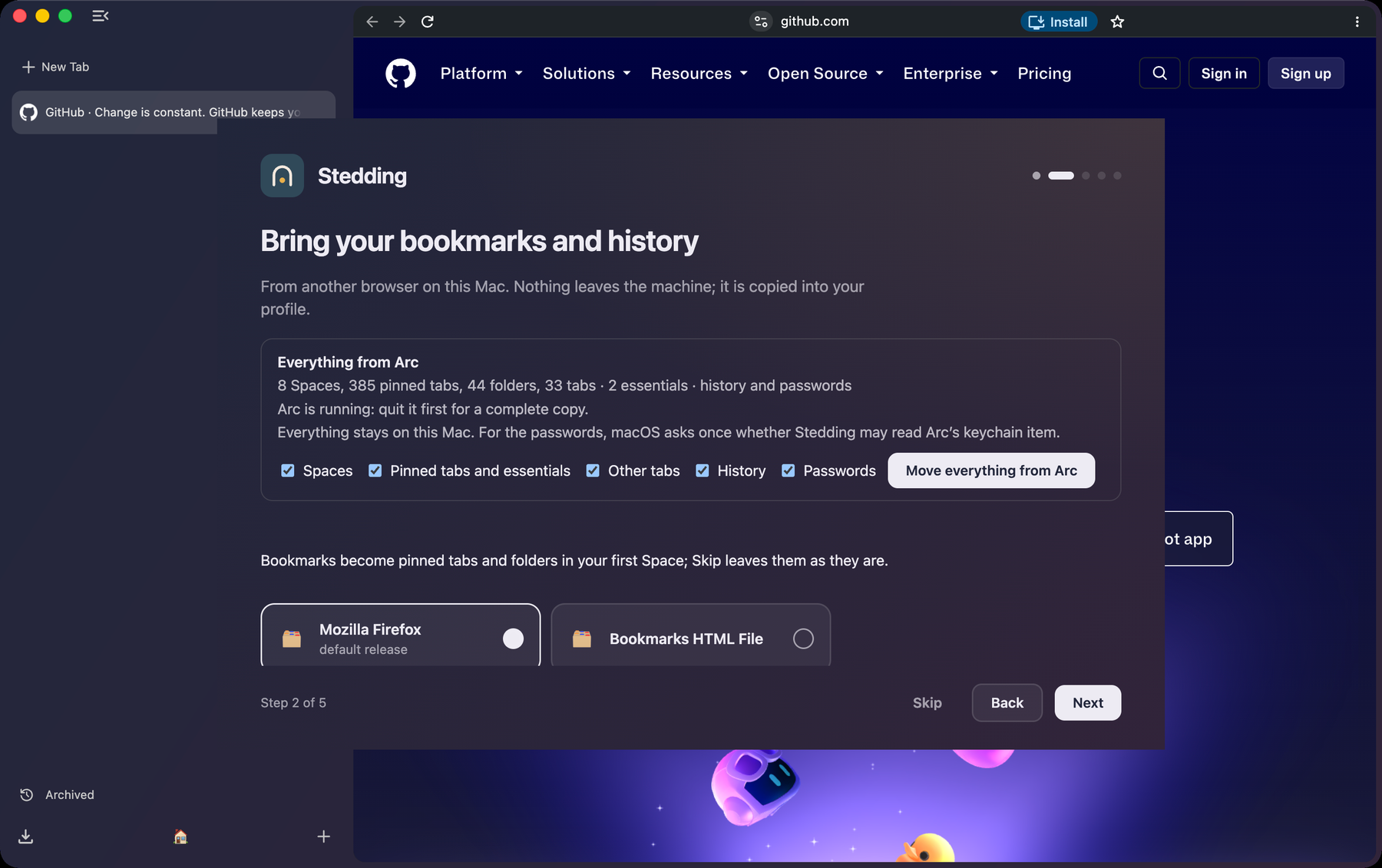
On the first start, “Move everything from Arc” brings over your Spaces with their colours and icons, the essentials row, pinned tabs, folders, open tabs, history and saved passwords, from Arc’s own files on your disk.
Nothing leaves your machine. Passwords need one macOS keychain prompt. Run it again later from Settings; nothing is duplicated.
Coming from Chrome, Firefox or Safari: the same step runs Chromium’s importer, and bookmarks become pinned tabs and folders in your first Space.
Privacy is a set of defaults
- No telemetry, no crash reports, no experiments, no identifiers. The new tab page is local and makes no requests.
- No Google account surfaces. No sign-in, no Google services in the address bar, no AI sections in Settings. DuckDuckGo by default; search suggestions off until you turn them on.
- Tracker-blocking defaults on. Third-party cookies blocked, HTTPS-first, Global Privacy Control, quiet permission prompts, Chromium’s ad-measurement APIs off.
Every network connection the browser makes is listed in the privacy document. Anything not on that list is a bug.
Keyboard first
The keys worth knowing, on macOS and Windows. The full list is in the repository, and inside the browser at Settings → Stedding → Shortcuts.
| Action | macOS | Windows |
|---|---|---|
| Command bar | Command T | Ctrl+T |
| Collapse the sidebar | Command S | Ctrl+S |
| Pin the tab | Command D | Ctrl+D |
| Jump to a Space | Control 1 to 9 | Alt+1 to 9 |
| Next Space | Option Command Right arrow | Ctrl+Alt+ Right arrow |
| Clear the Space | Shift Command K | Ctrl+Shift+K |
| Copy a clean link | Shift Command C | Ctrl+Shift+C |
| Screenshot | Shift Command 2 | Ctrl+Shift+2 |
Download
Stedding 0.2.0 beta 6 — Chromium 153. Published .
macOS
Apple silicon (M1 or later)
- File
Stedding-0.2.0-beta.6-arm64.dmg- SHA-256
-
59633835eb0b03205895c111e108fa869a1aceb8703a45faa626fea9ea602d04
Open the DMG, drag Stedding to Applications, then right-click → Open the first time.
Check the download:
shasum -a 256 ~/Downloads/Stedding-0.2.0-beta.6-arm64.dmg
Windows
Windows 10 or 11, x64
- File
Stedding-0.2.0-beta.6-win-x64.exe- SHA-256
-
69c6c46053d5df9856115696bcf0ea357aa6bedebf3ceb123cffecca7fbc9695
Installs for the current user, with no administrator prompt. If SmartScreen appears: More info → Run anyway, once.
Check the download:
certutil -hashfile Stedding-0.2.0-beta.6-win-x64.exe SHA256
Builds are not code-signed yet, which is why the first launch needs one extra click. Signing and notarisation are the next step.
Intel Macs and Linux: not yet. Release notes · All releases · Install guide
Status
Beta. The features above work and are tested; the maintainer uses it against Arc every day.
Next: code signing and notarisation, automatic updates, the rest of the Windows port, then Linux. The full list of open work is in the repository.
Frequently asked questions
Is it a fork of Arc?
No. Arc is closed source. Stedding is Chromium plus a series of patches written for this project.
Why is it unsigned? Is it safe?
Signing needs an Apple Developer ID certificate, which is being set up. Every build is made from the tagged commit in the public repository and its checksum is published beside it.
Do my Chrome extensions work?
Yes. It is Chromium; extensions install from the Chrome Web Store as usual.
Does it talk to Google?
Not for its own purposes. No telemetry, no sign-in, no experiment downloads; the Web Store only when you install or update an extension.
Where is my data?
On your machine: ~/Library/Application Support/Stedding on macOS, %LOCALAPPDATA%\Stedding on Windows.
What does “Stedding” mean?
A haven. The word is borrowed from Robert Jordan’s The Wheel of Time. Only the word is used; no affiliation with any rights holder is claimed.