Press kit
Everything here may be used in articles, reviews and videos about Stedding, without asking first. Questions, an interview or a build for review: any@ys.contact.
In short
Stedding is a free, open-source desktop browser built on Chromium that works the way Arc did: tabs in a sidebar, Spaces, pinned tabs and a command bar, with no account and no telemetry.
-
Arc’s way of working
Tabs in a sidebar, Spaces, essentials, pinned tabs that remember their page, folders, split view and peek.
-
The address where you want it
Across the top of the window, or at the top of the sidebar with Back, Forward and Reload.
-
One command bar
⌘T for a URL, a search or any open or archived tab, in any Space.
-
Spaces with their own sign-ins
One site, two accounts: a Space can keep its own cookies, in one profile.
-
Moves in from Arc
Spaces, pinned tabs, folders, history and passwords in one step; Chrome, Edge, Brave and Vivaldi too.
-
Private and open
No telemetry, no account, no AI. Chrome extensions work. Licensed BSD-3-Clause.
The Browser Company has said Arc will be sunset on December 22, 2026. Stedding is for people who want to keep working that way in a browser whose code is public: BSD-3-Clause, every release built from a tagged commit in its GitHub repository.
Facts
- Name
- Stedding (said STED-ding, like “wedding”). Written “Stedding”, or “Stedding Browser” in full.
- Platforms
- macOS 13 or later on Apple silicon, signed and notarized; Windows 10 or 11, x64, a per-user install, not code-signed yet
- Latest release
- 0.4.0 beta 18, published
- Built on
- Chromium 157, the stable channel, kept up with its security releases
- Price
- Free. No account, no subscription, no telemetry.
- Licence
- BSD-3-Clause
- Started
- August 2026
- Made by
- YS Progress Inc.
- Website
- stedding.dev
- Contact
- any@ys.contact
Video
A 51-second tour: page colours, one site signed in to two accounts in two Spaces, the command bar, split view, the address moved into the sidebar, the site panel, a peek over a pinned tab, private sidebar sync through your own cloud folder, the privacy settings, the rail, the sidebar hidden with the address row, denser tab rows, a Space with a colour for each look, the import from Arc and from Chrome, Edge, Brave and Vivaldi, and dark pages in the night look. No sound.
- Landscape, 1920 × 1080 MP4, 4.8 MB
- Vertical, 1080 × 1920 MP4, 4.0 MB
Screenshots
Taken on a Mac. Each opens at full size.
-
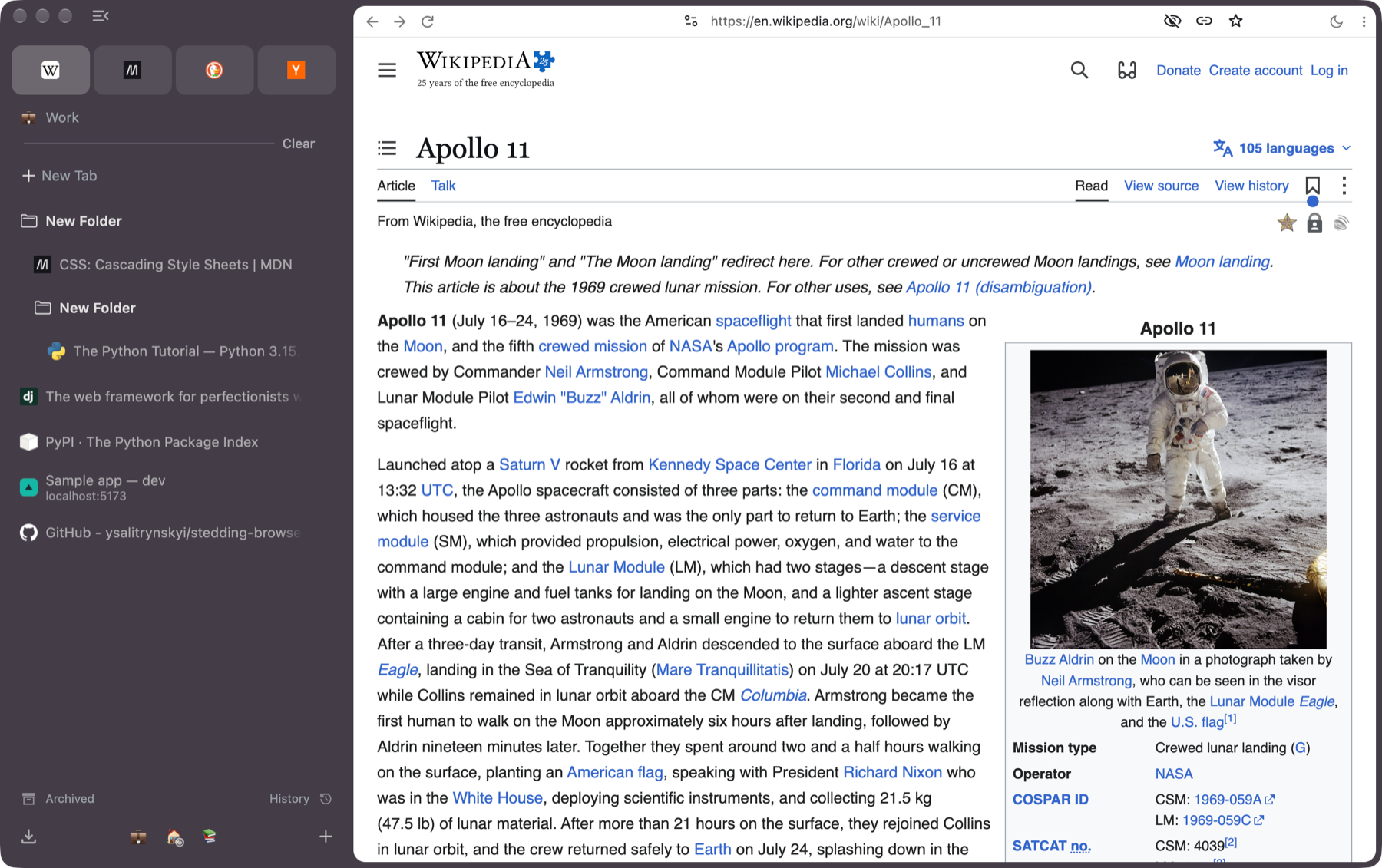
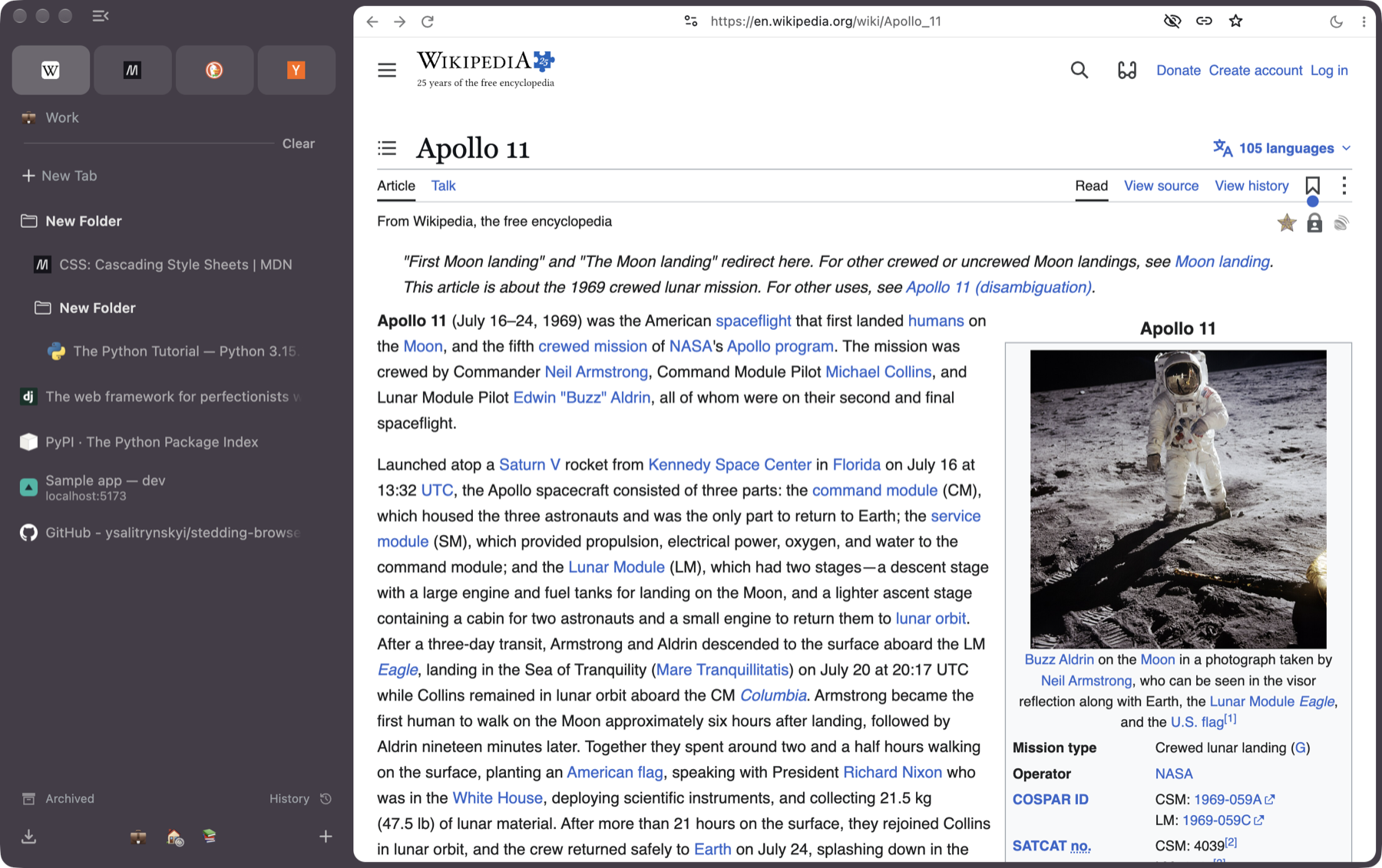
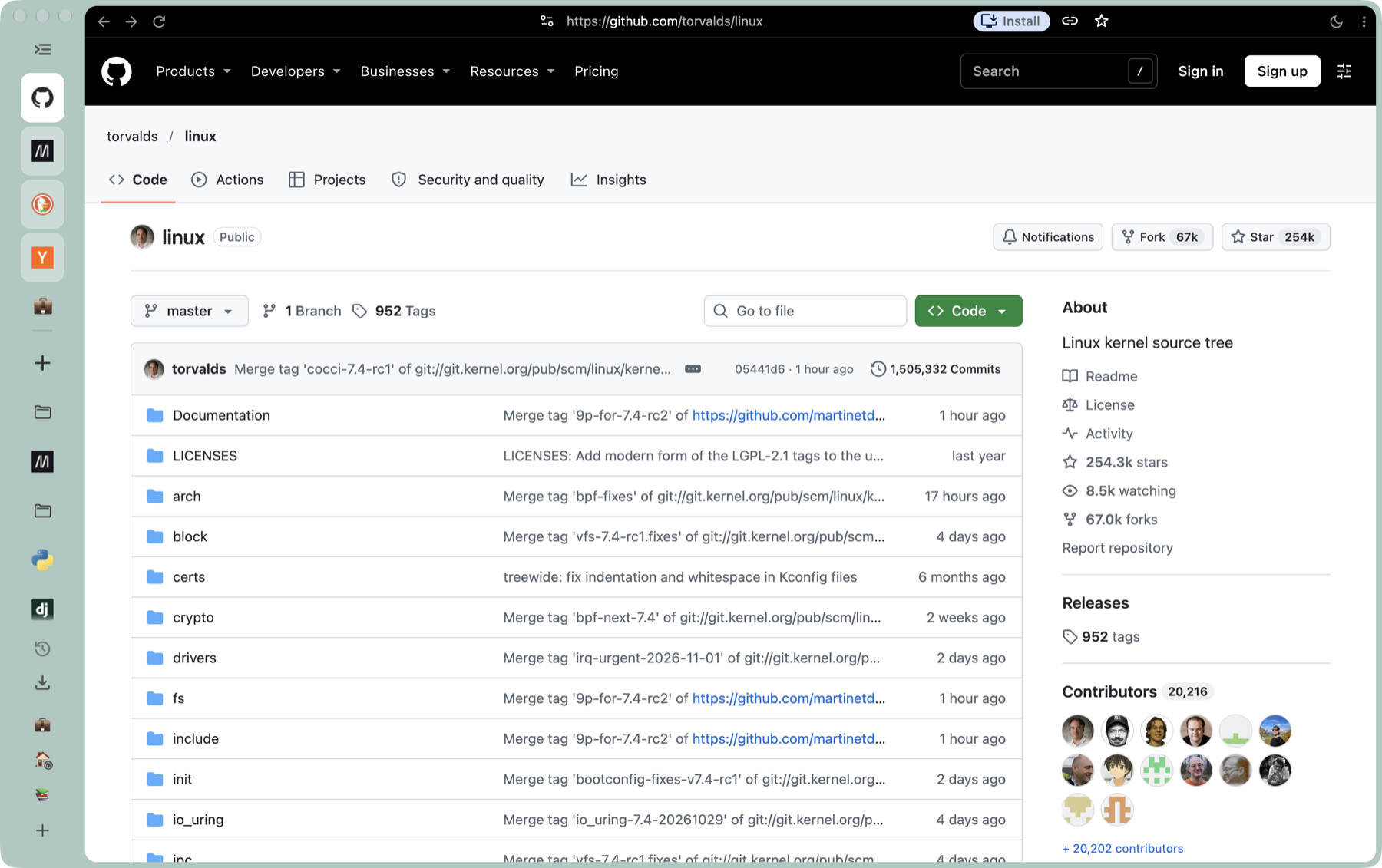
The window, dark: essentials, folders and tabs in the sidebar
PNG, 1800 × 1131 · 1.1 MB
-
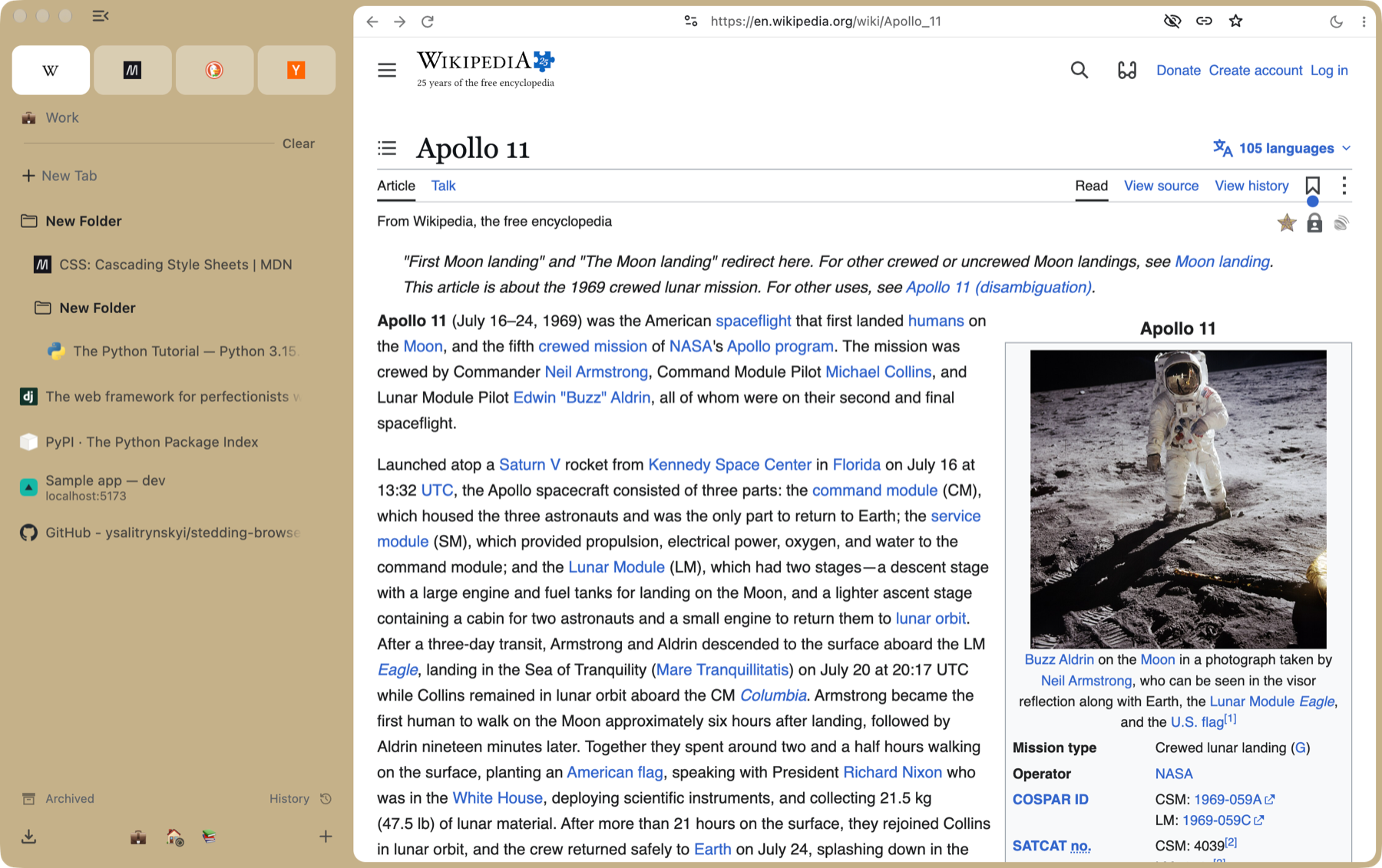
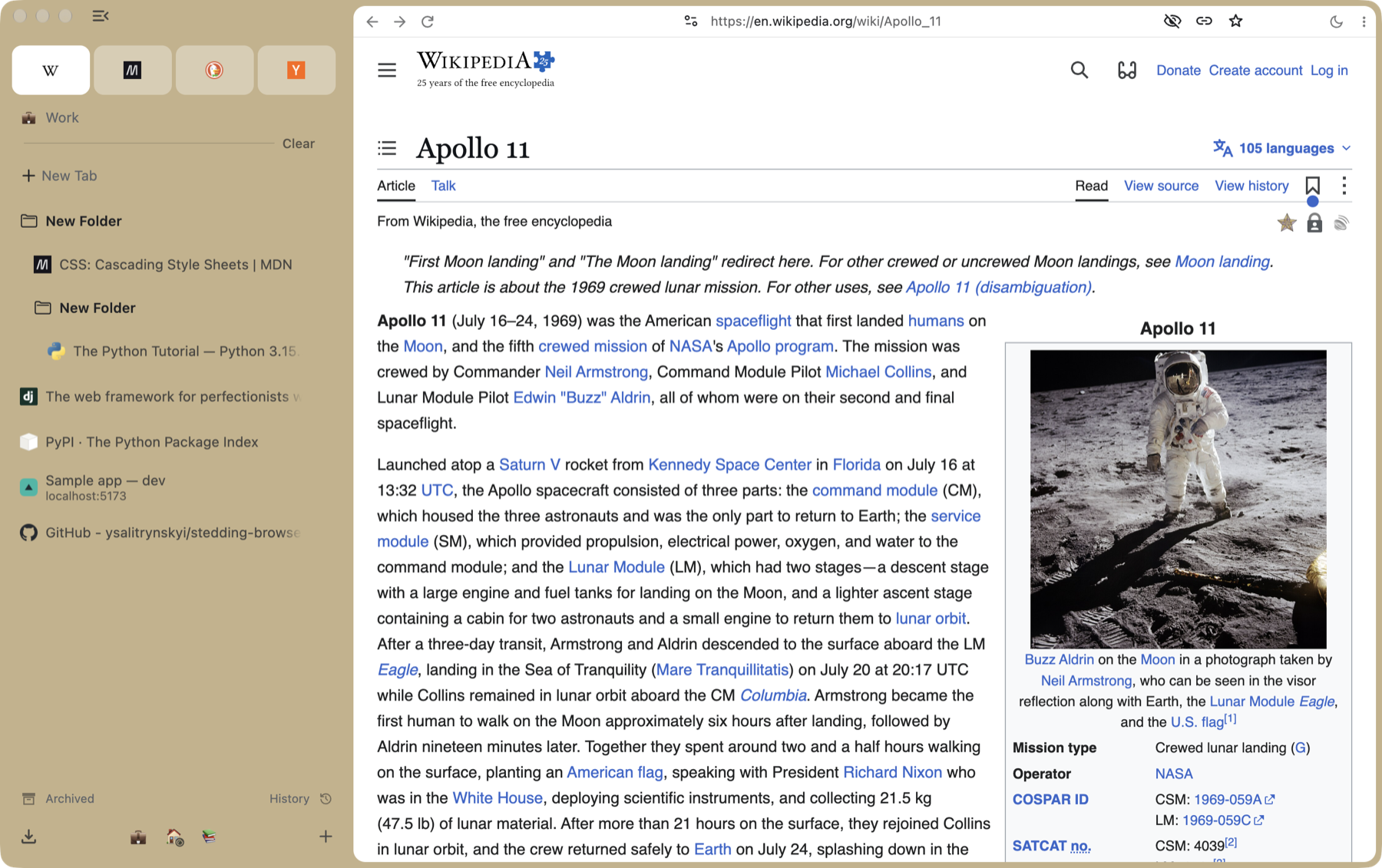
The same window, light
PNG, 1800 × 1131 · 1.1 MB
-
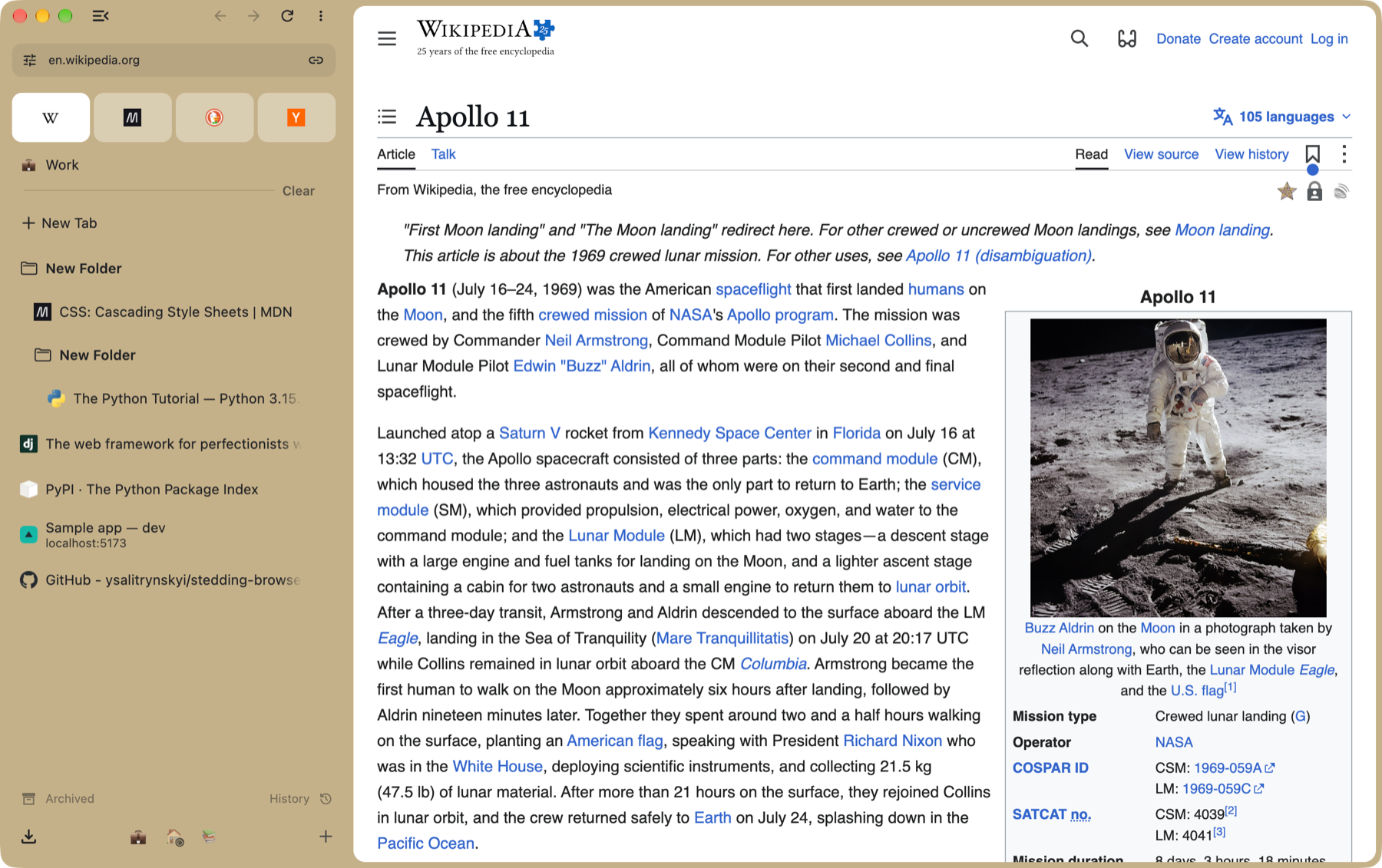
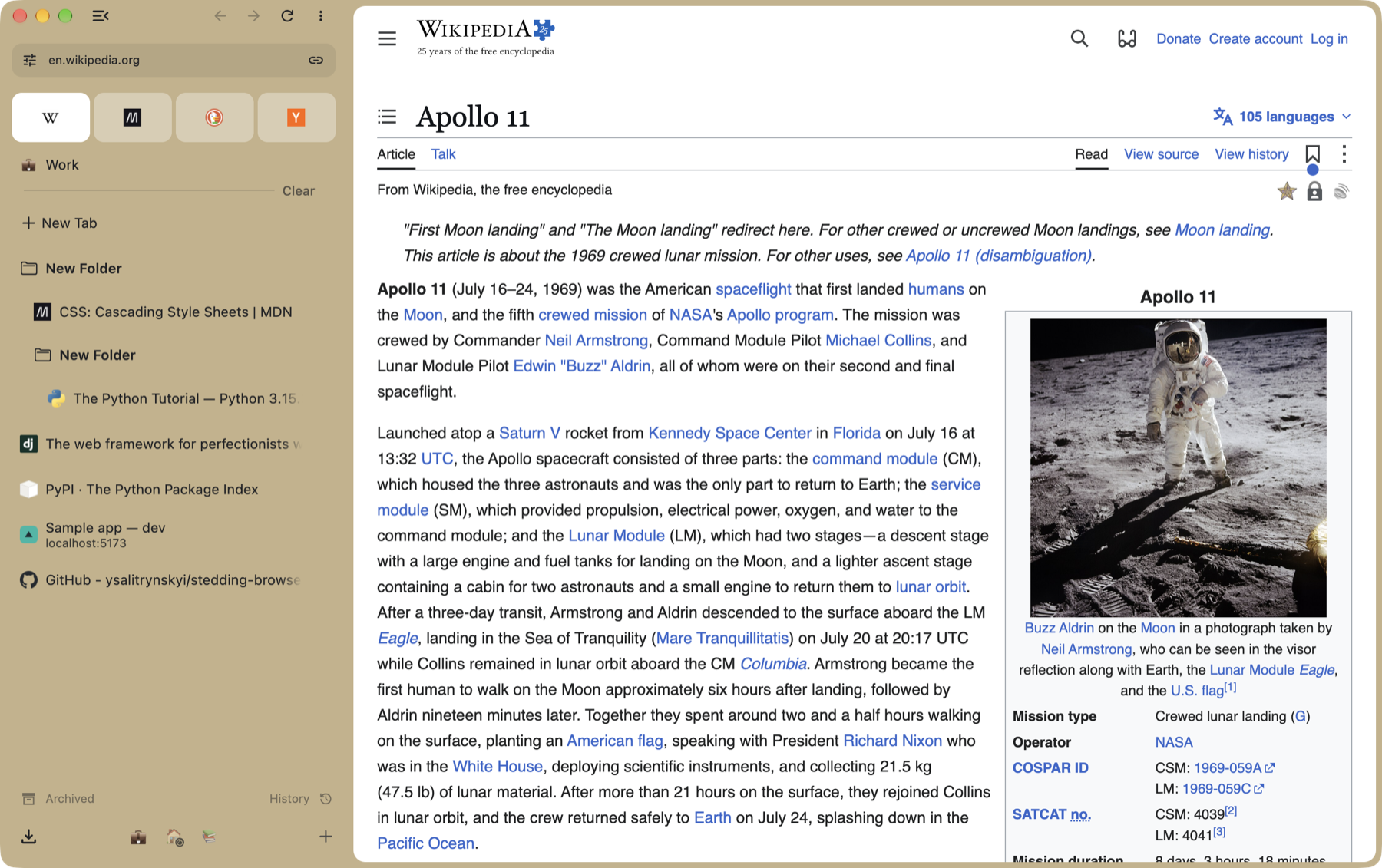
The address in the sidebar, the row across the top gone
PNG, 1800 × 1131 · 1.1 MB
-
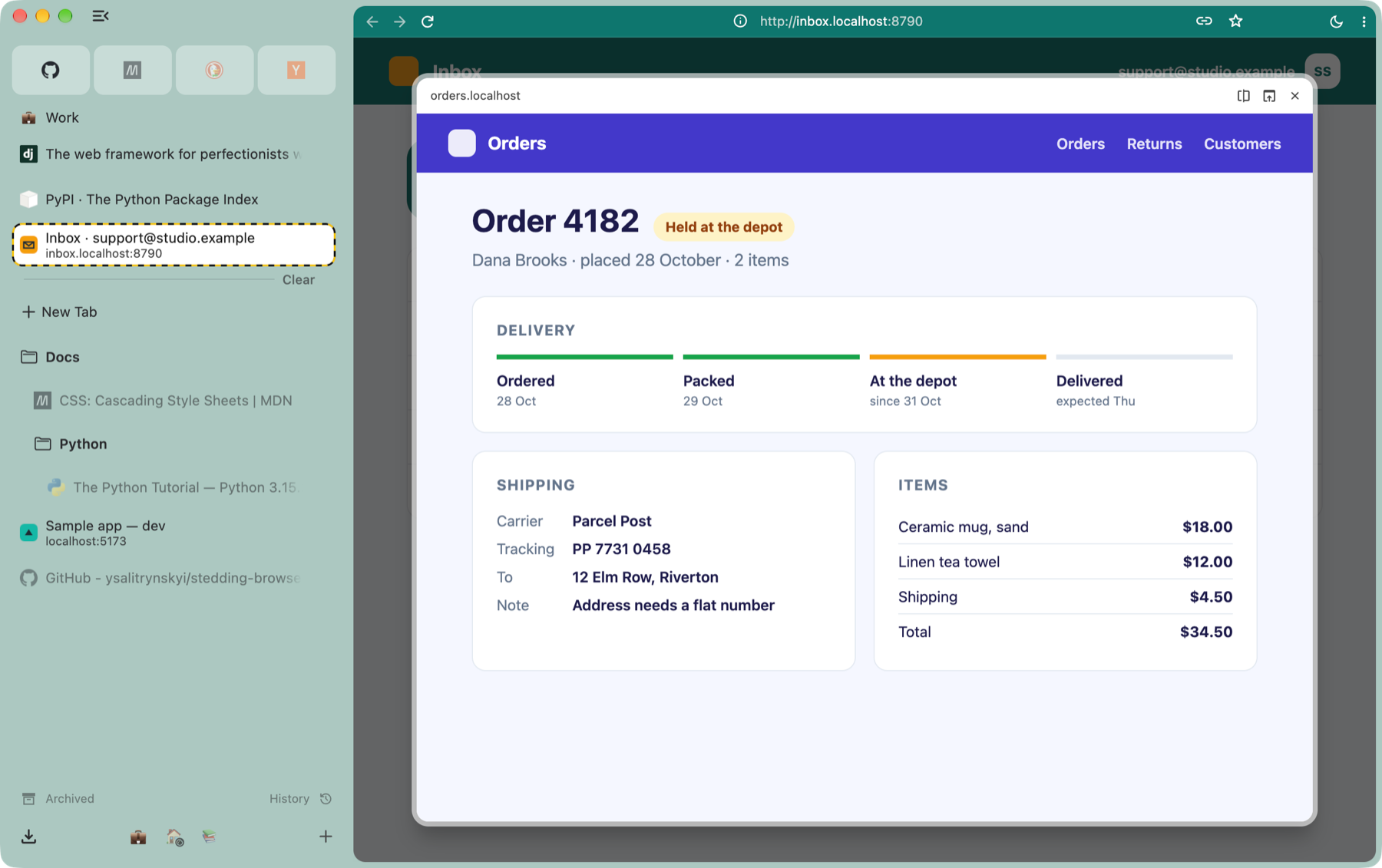
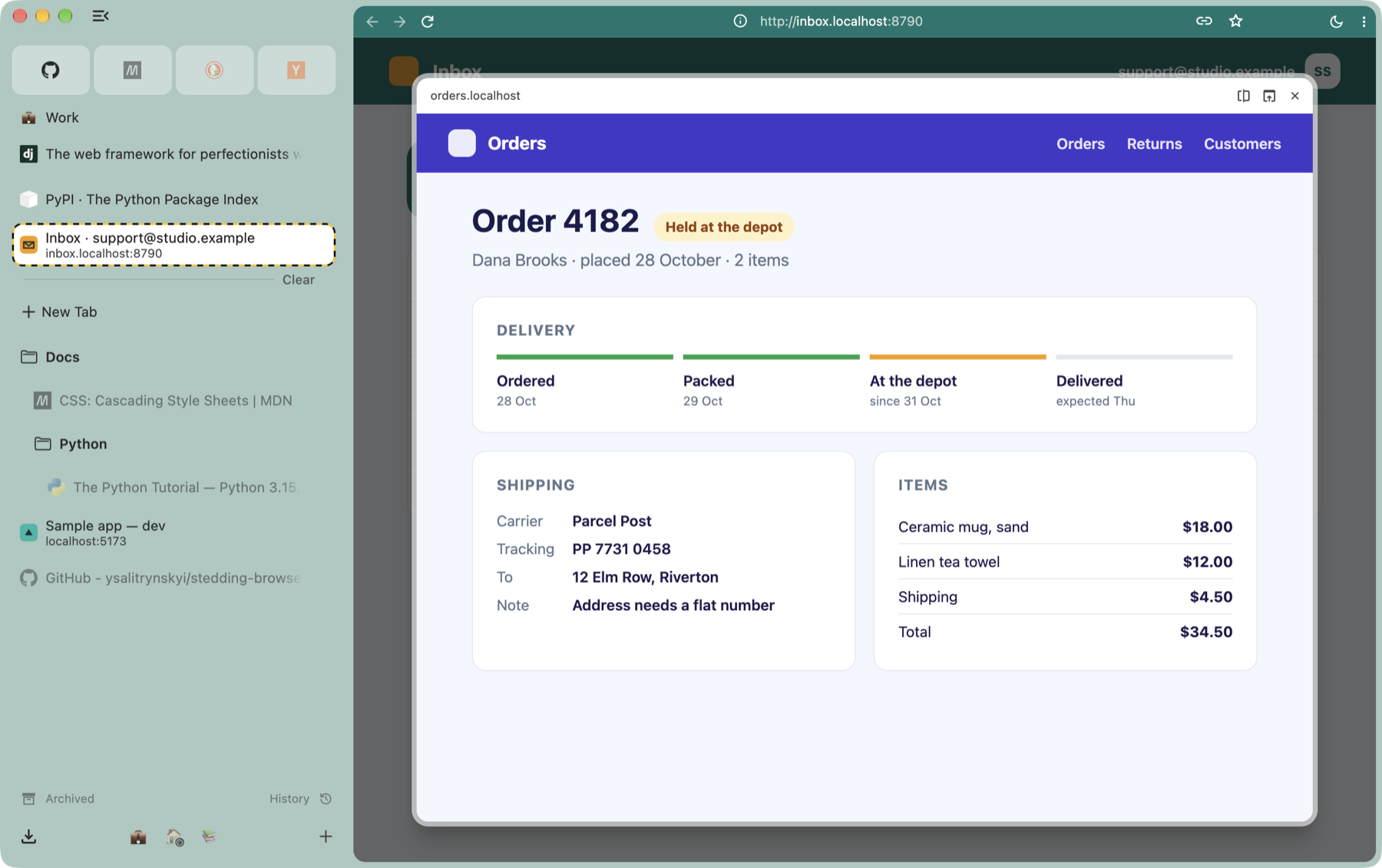
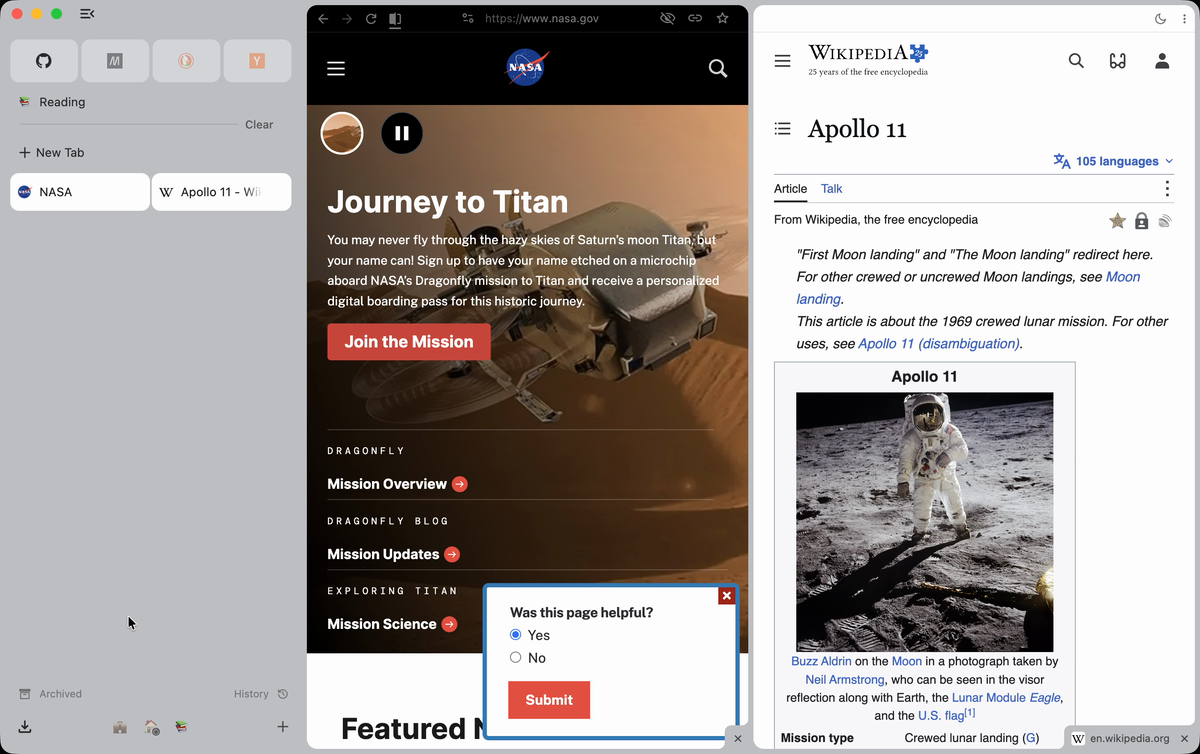
Peek: a pinned tab’s link, open over the page
PNG, 1800 × 1131 · 0.3 MB
-
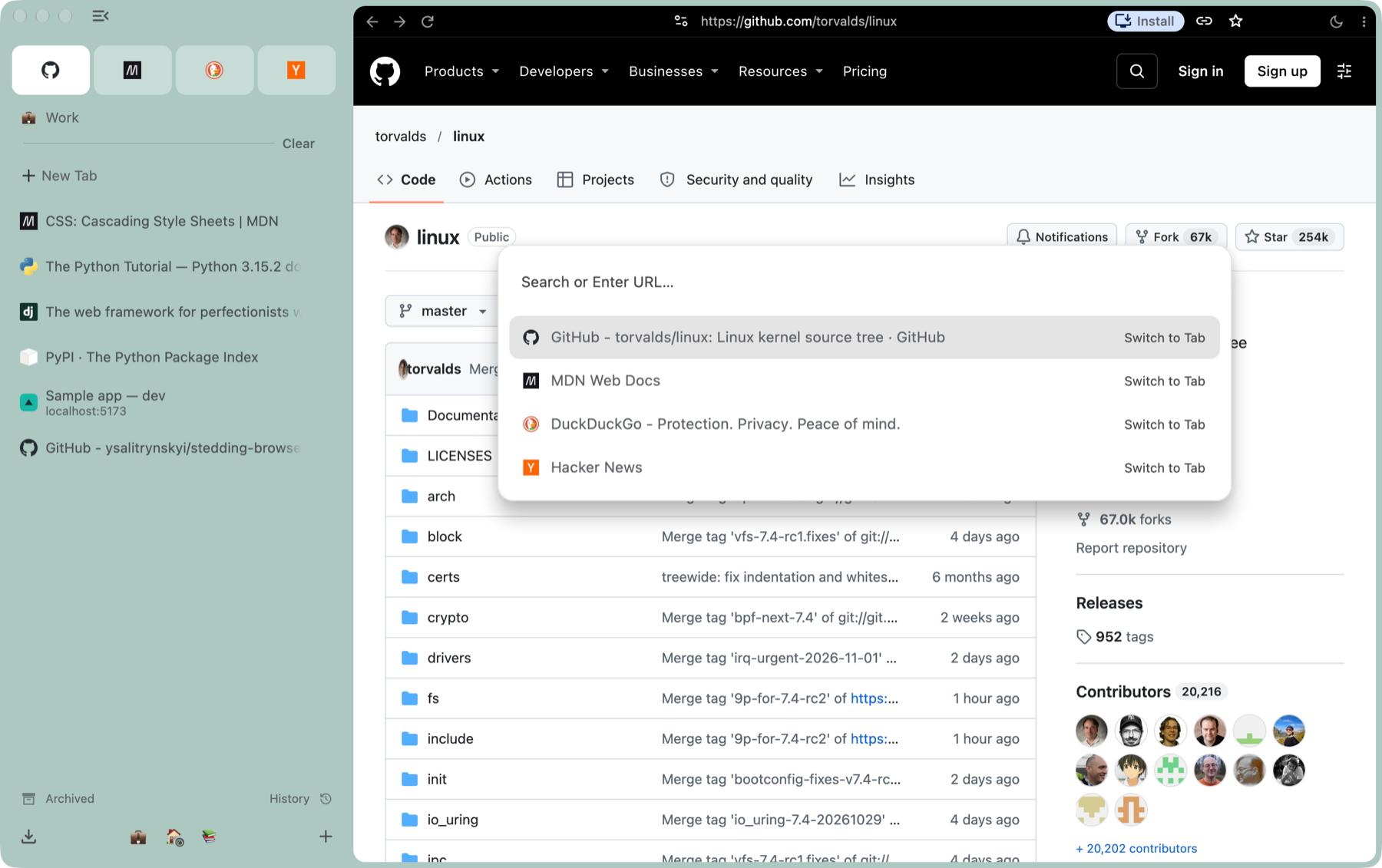
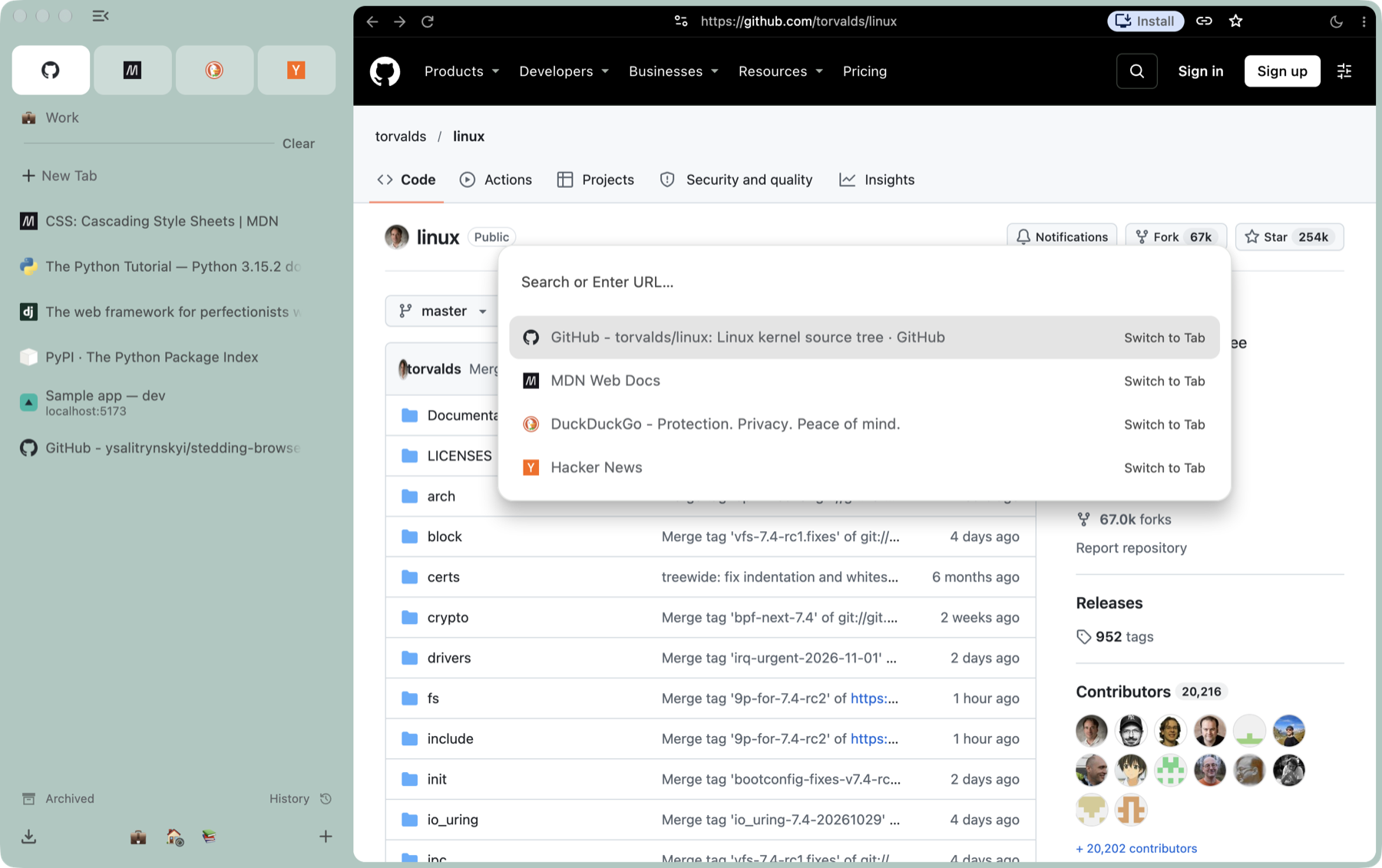
The command bar (⌘T)
PNG, 1800 × 1131 · 0.5 MB
-
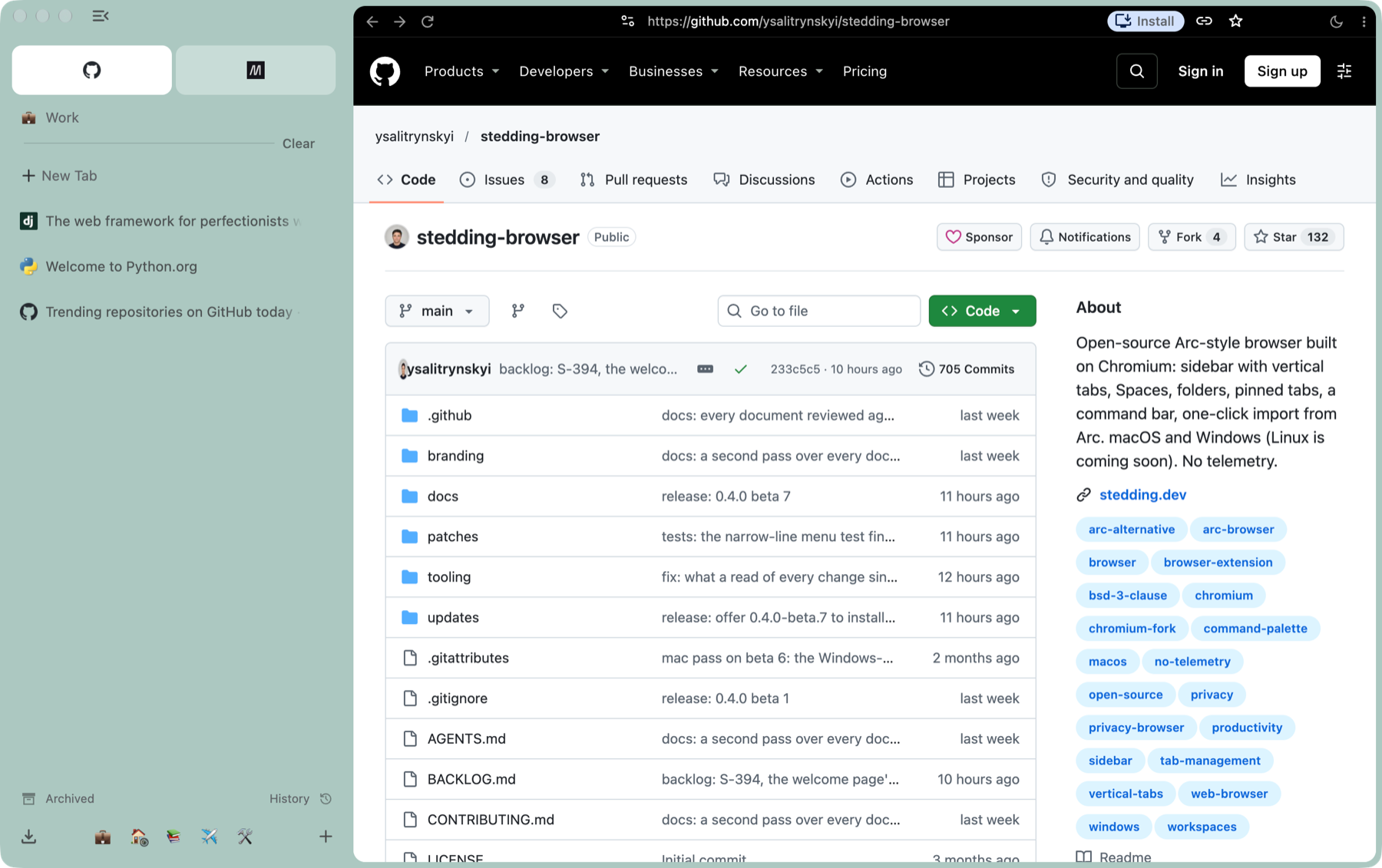
Spaces, each with its own colour
PNG, 1800 × 1131 · 0.5 MB
-
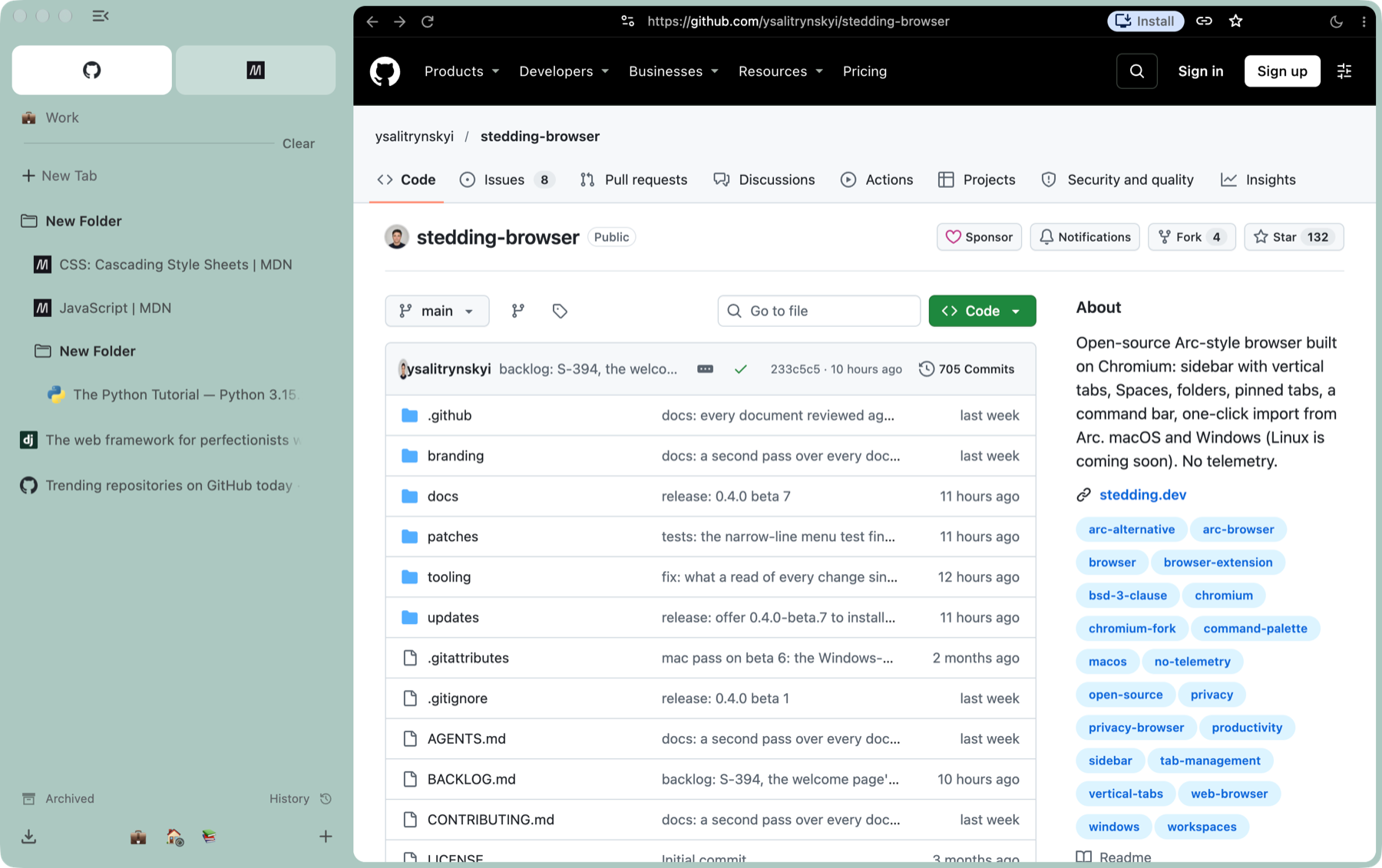
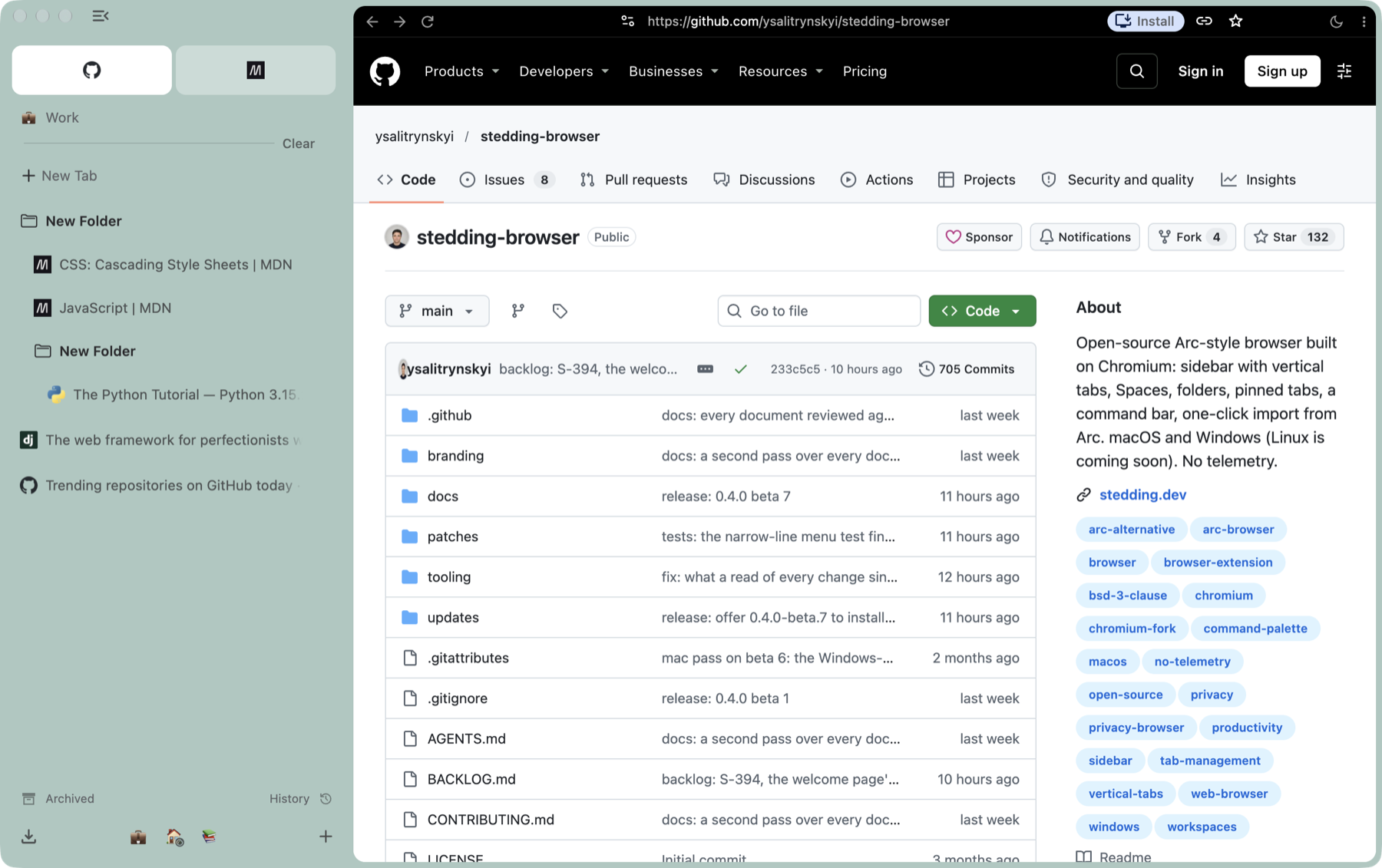
Folders, one inside another
PNG, 1800 × 1131 · 0.6 MB
-
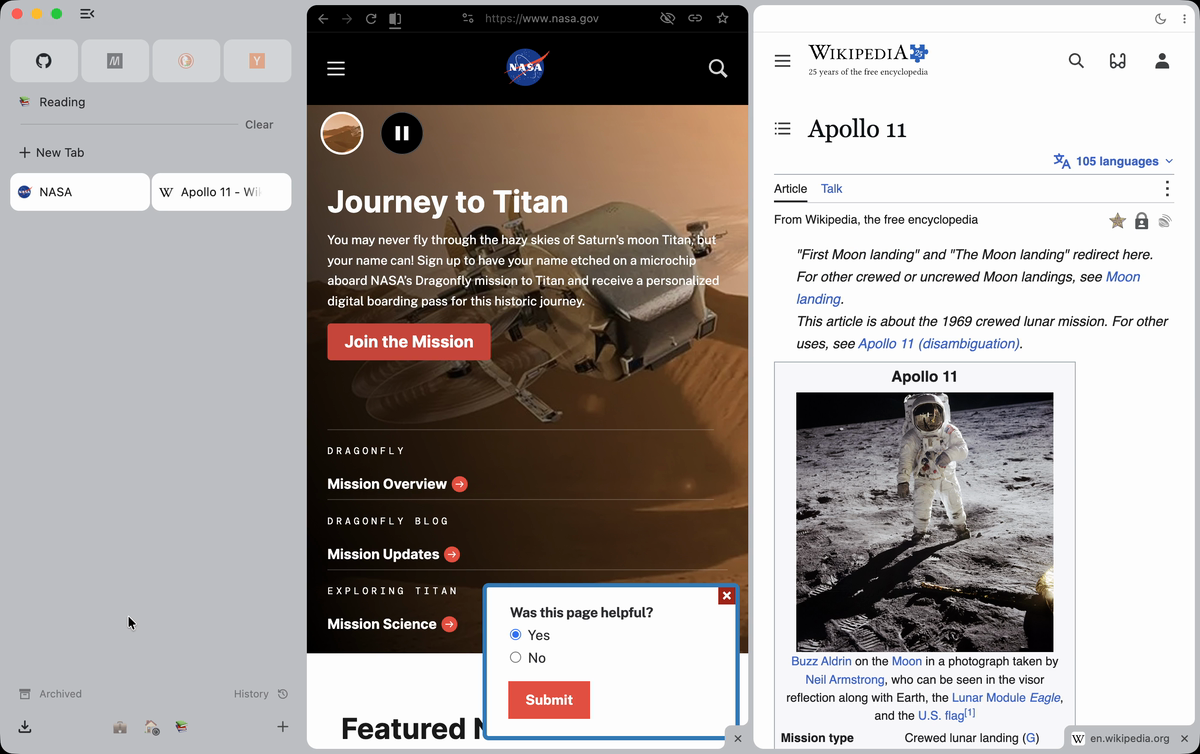
Split view, made by dragging a tab onto the page
PNG, 1200 × 754 · 0.5 MB
-
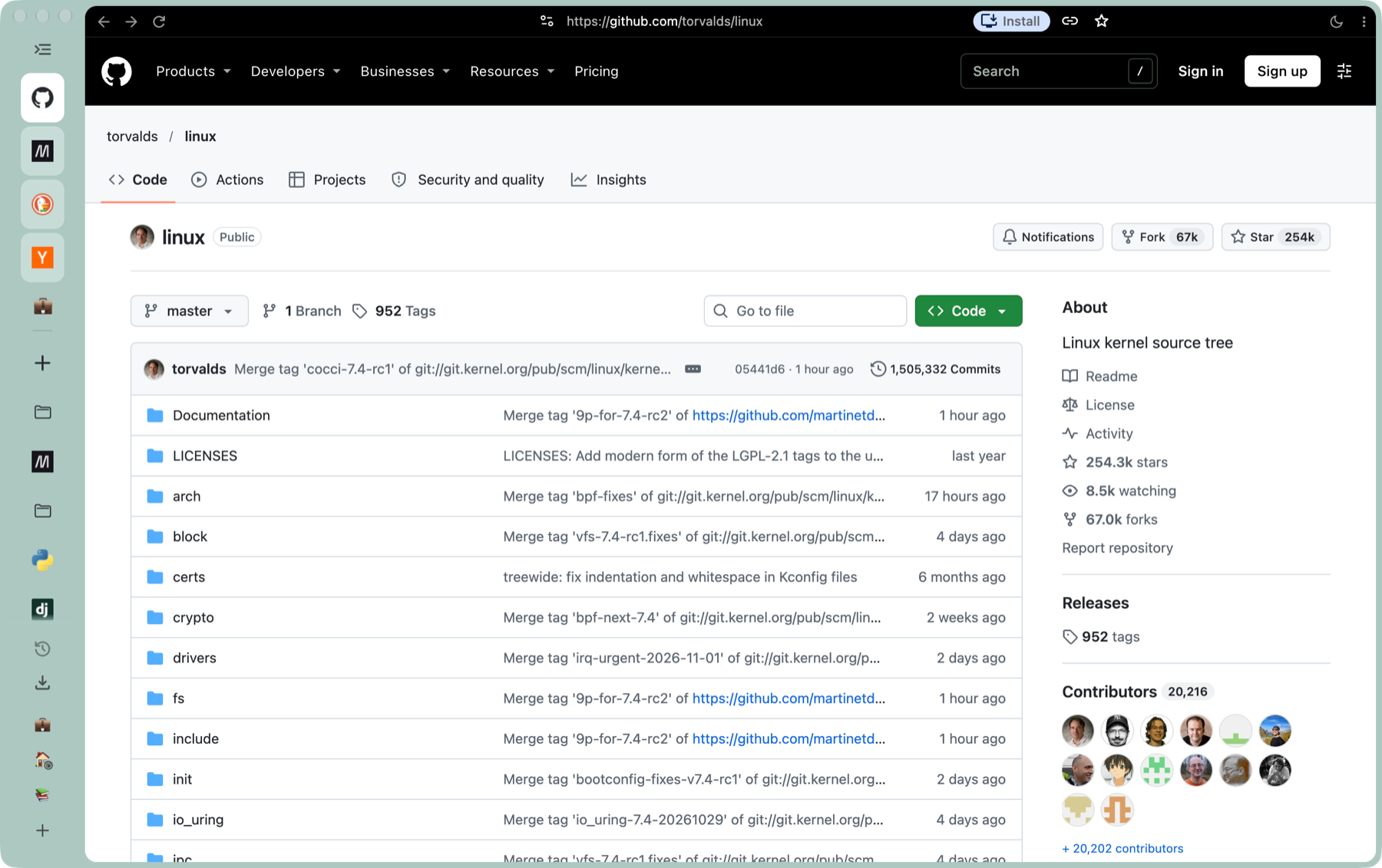
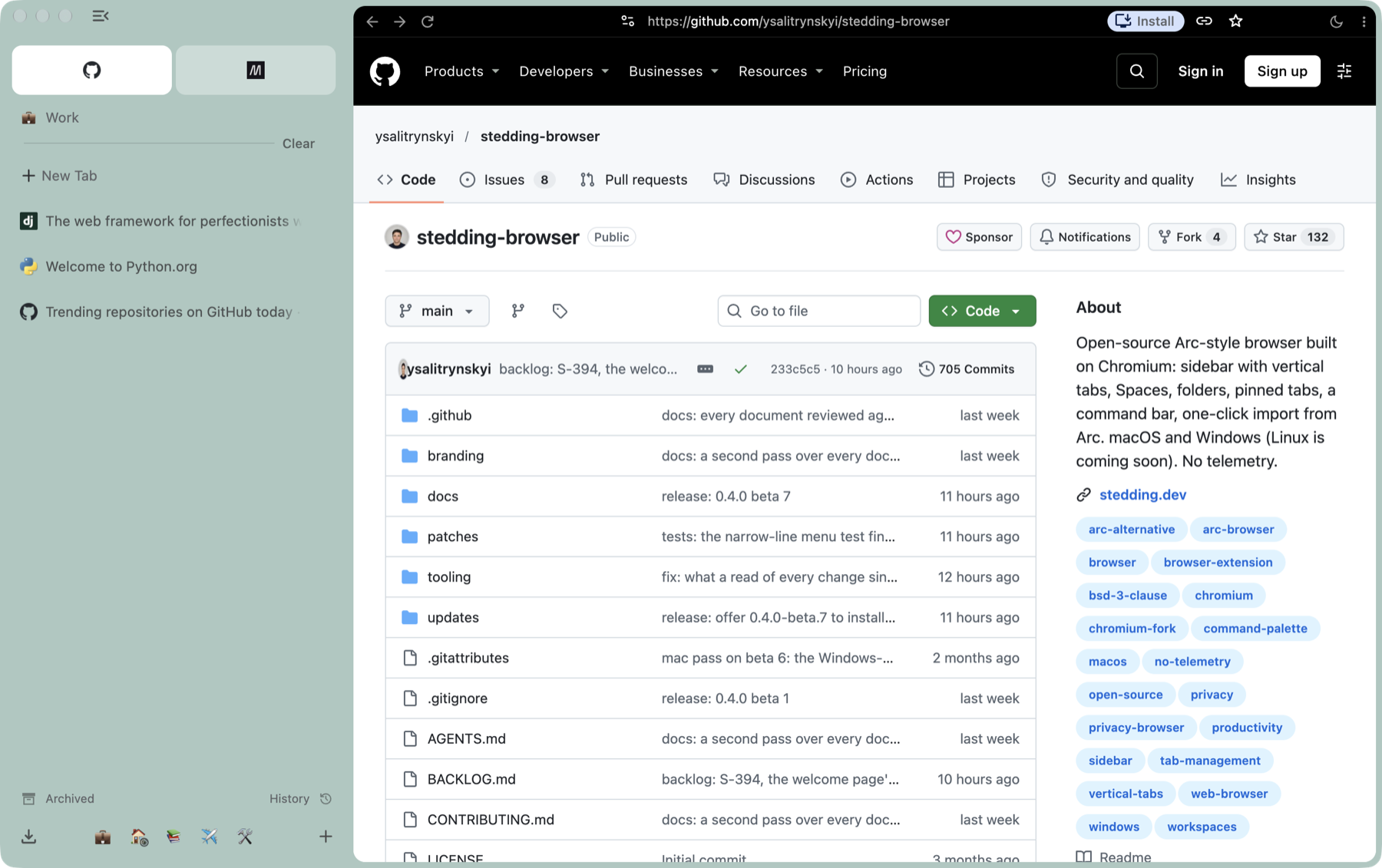
The sidebar folded to a rail of icons (⌘S)
PNG, 1800 × 1131 · 0.5 MB
Logo and icon
Please keep the logo’s shape and colours as they are.
-
Logo for dark backgrounds
SVG · 1 KB
-
Logo for light backgrounds
SVG · 1 KB
-

App icon
SVG · 1 KB
-
App icon
PNG, 1024 × 1024 · 38 KB
The screenshots show third-party websites (GitHub, the Python Package Index, NASA, Wikipedia and others), which belong to their owners.